WP Buffs vs. a Dedicated WordPress Developer: Which One Is Right for You?
You’ve done your research. You know you need someone to manage your WordPress site. WP Buffs keeps coming up. The reviews look decent, the pricing seems reasonable. But something’s nagging at you — maybe it’s the ticket portal, the chatbot, or the fact that you have no idea who will actually be working on your site. Here’s my honest take.
What Is a WordPress Care Plan?
A WordPress care plan is a monthly service that keeps your site running. It covers updates, backups, security monitoring, and light support. Think of it as ongoing WordPress website maintenance rather than a one-time fix.
Most WordPress care plans include:
- Core, theme, and plugin updates
- Daily or weekly off-site backups
- Security scanning and malware removal
- Uptime monitoring
- Some level of support for issues and small changes
The thing most people forget to ask about is who actually handles their support requests, and how fast that person responds when something breaks.
What WP Buffs Actually Is (And Isn’t)
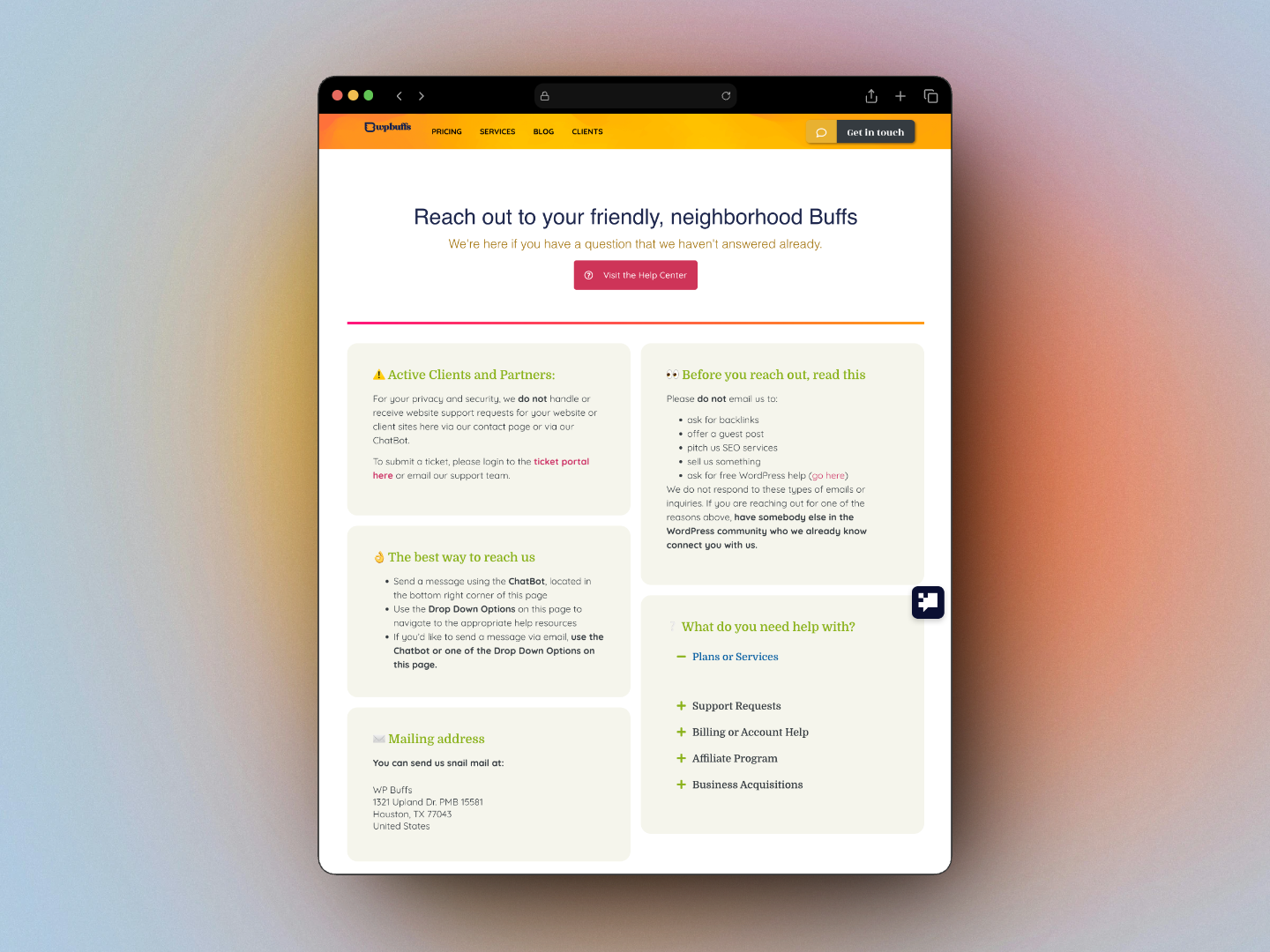
WP Buffs is a well-run, legitimate WordPress maintenance service. They manage thousands of sites, their reviews skew positive, and for a lot of people they do the job fine.
But here’s what they are: a team-based, ticket-driven operation. When you submit a support request, it goes into a queue. It gets assigned to whoever is on shift. If the issue takes more than one session to resolve, it gets handed off. Whoever picks it up next starts from scratch reading the thread.
Real customers have noticed.
“The tickets get assigned to new engineers as shifts change… I would be exchanging emails with one engineer over the course of a few hours, and then another engineer on the next shift picks up the ticket and they may not have the full understanding.”
Trustpilot review, WP Buffs
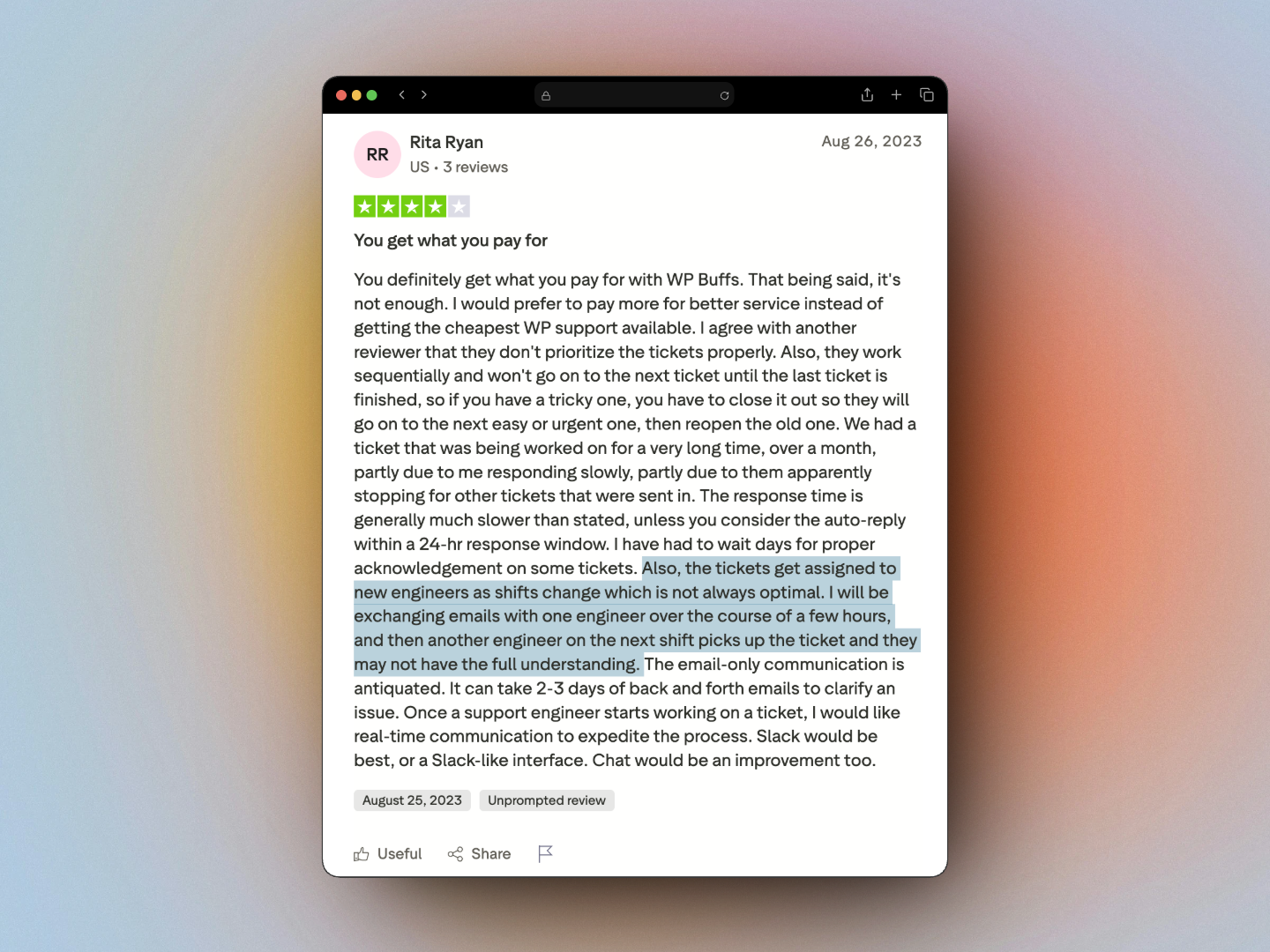
“The response time is generally much slower than stated, unless you consider the auto-reply within a 24-hr response window. I have had to wait days for proper acknowledgement on some tickets.”
Trustpilot review, WP Buffs
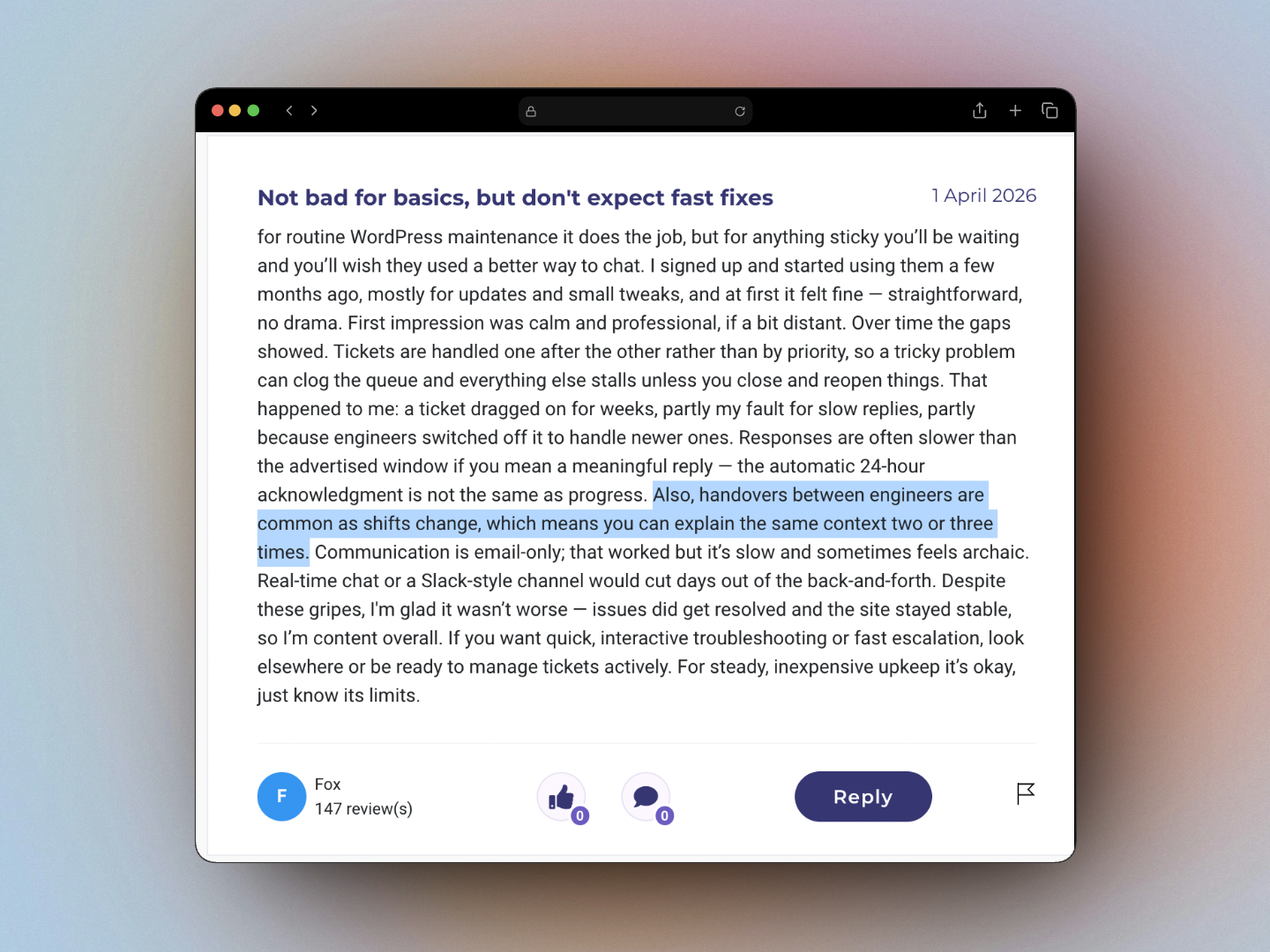
“The automatic 24-hour acknowledgment is not the same as progress… handovers between engineers are common, which means you can explain the same context two or three times.”
BritainReviews, WP Buffs
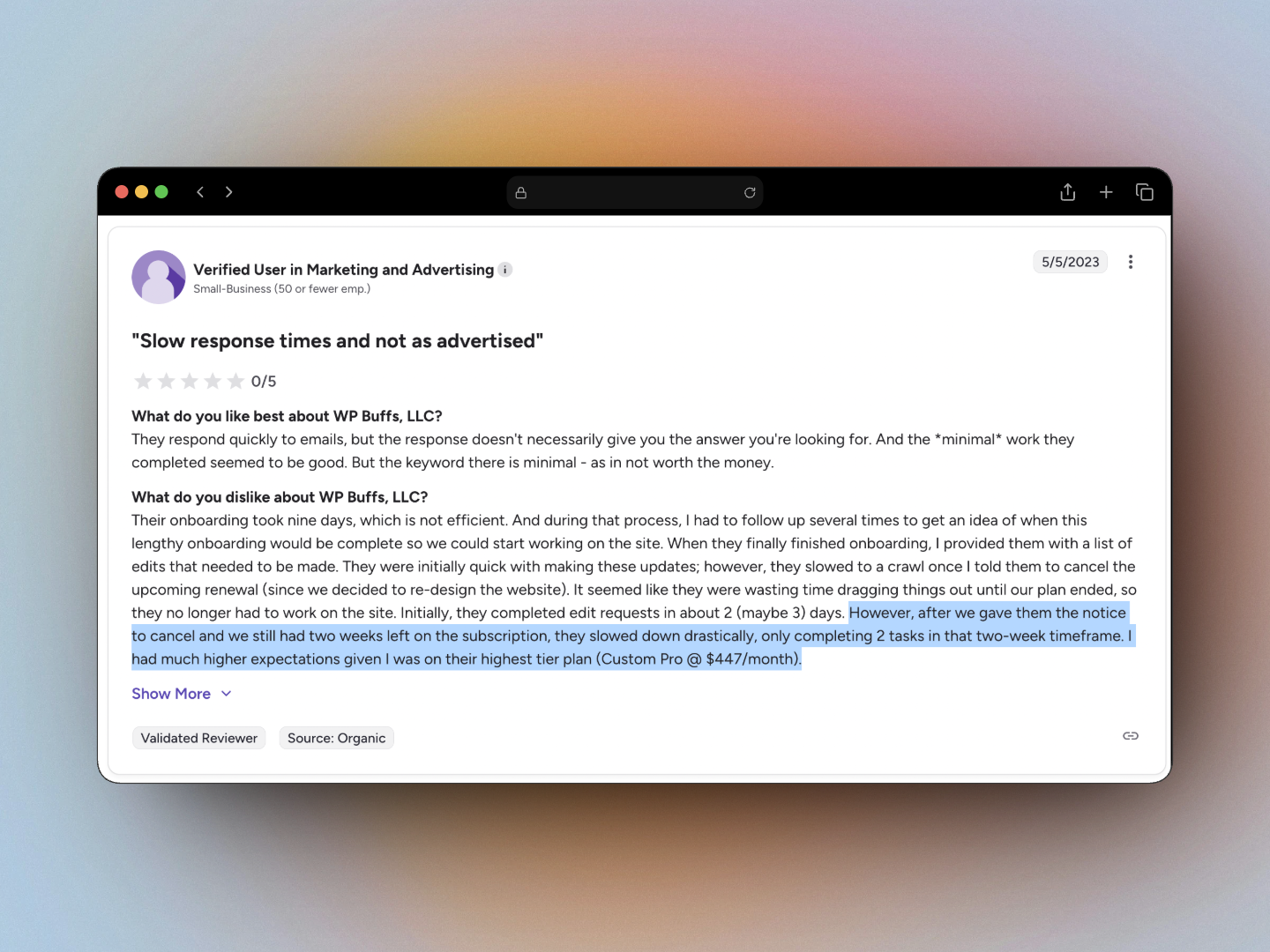
Even a customer on WP Buffs’ highest-tier plan ($447/month Custom Pro) left this on G2:
“Onboarding took nine days… slowed to a crawl once I told them to cancel. Only completing 2 tasks in that two-week timeframe.”
G2 review, WP Buffs (Custom Pro, $447/mo)
I’m not piling on. This is just how a scaled, ticket-driven service has to work. You can’t run a rotating shift team and guarantee continuity at the same time. Those are real tradeoffs. If they don’t bother you, WP Buffs might be just fine. But if they do, keep reading.
Why Response Time Isn’t Just a Comfort Issue. It’s a Revenue Issue.
When something goes wrong with your WordPress site, every hour of delay has a measurable cost. Most people underestimate it.
If your site goes down
Your site returns a 500 error or just doesn’t load. Every visitor who hits that broken page is a lead you already paid for — through ads, SEO, content, word of mouth. They walk away with nothing.
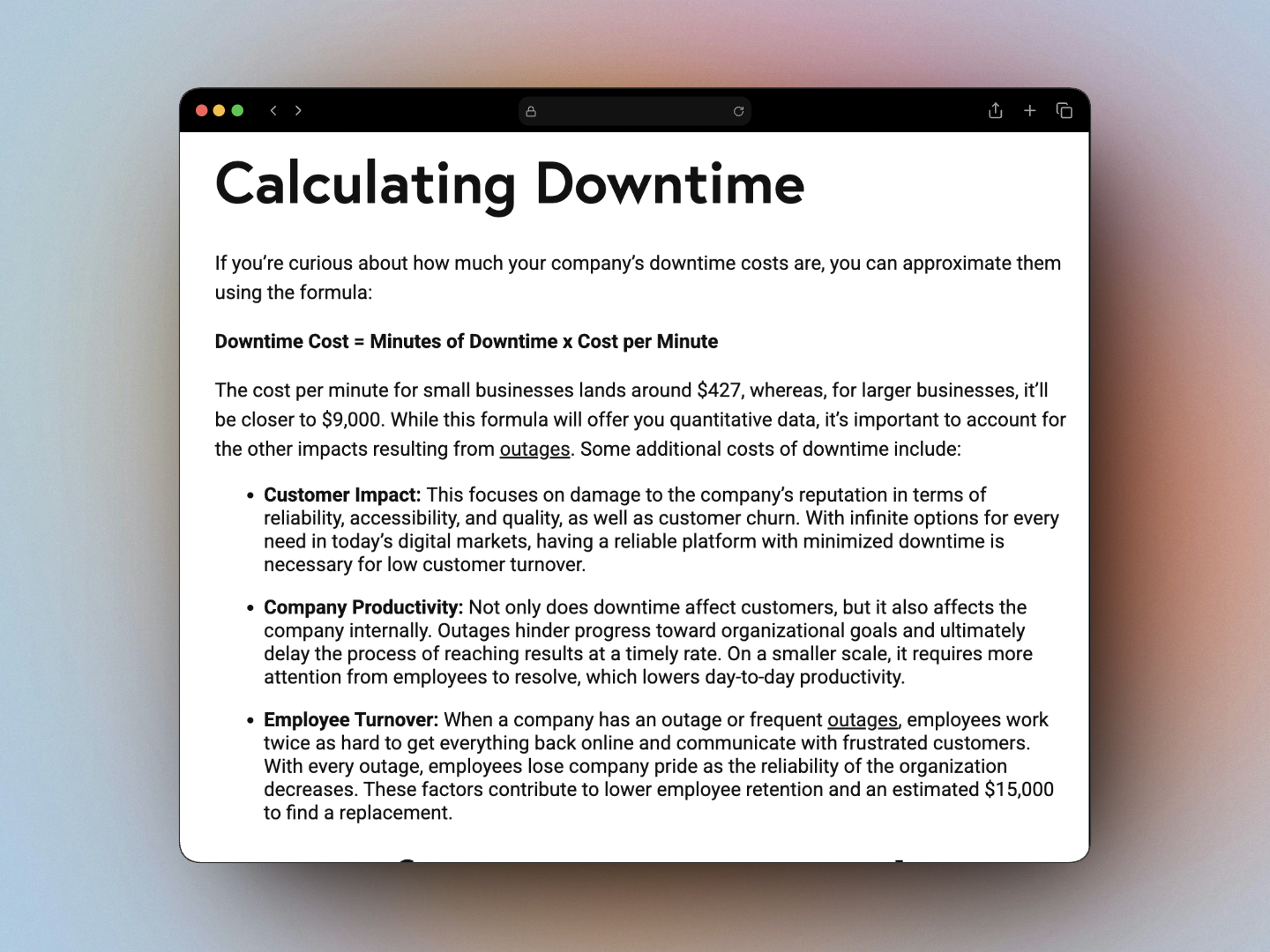
According to Pingdom, downtime costs small businesses an average of $427 per minute. That’s the small business average, not an enterprise figure. A four-hour outage sitting in a ticket queue overnight doesn’t cost you four hours of revenue. It can cost you days of it, depending on when it gets resolved and how many visitors hit the wall in the meantime.
If only part of your site breaks
This is often worse because it’s invisible. Your homepage loads fine. But your contact form silently fails. Your checkout doesn’t trigger. A landing page returns a blank section where your offer used to be. You won’t know until a customer tells you, or until you notice conversions have dried up. A missed form submission isn’t just a lost sale. It’s a relationship that never started.
If your site gets slow
A few extra seconds of load time feels like a minor issue. The data says otherwise.
- A 1-second delay in page load time causes a 7% drop in conversions (Aberdeen Group)
- 53% of mobile visitors abandon a page that takes more than 3 seconds to load — and as load time goes from 1 to 10 seconds, bounce probability increases by 123% (Google/SOASTA)
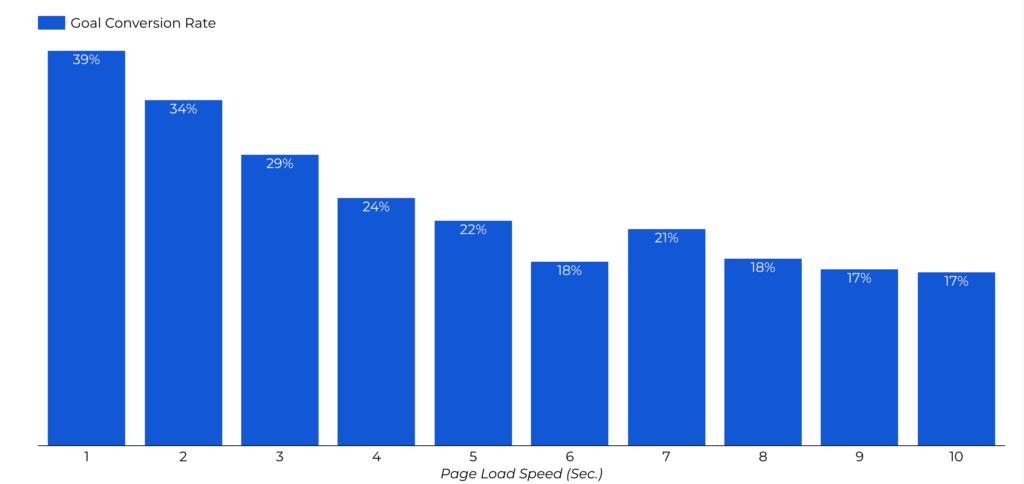
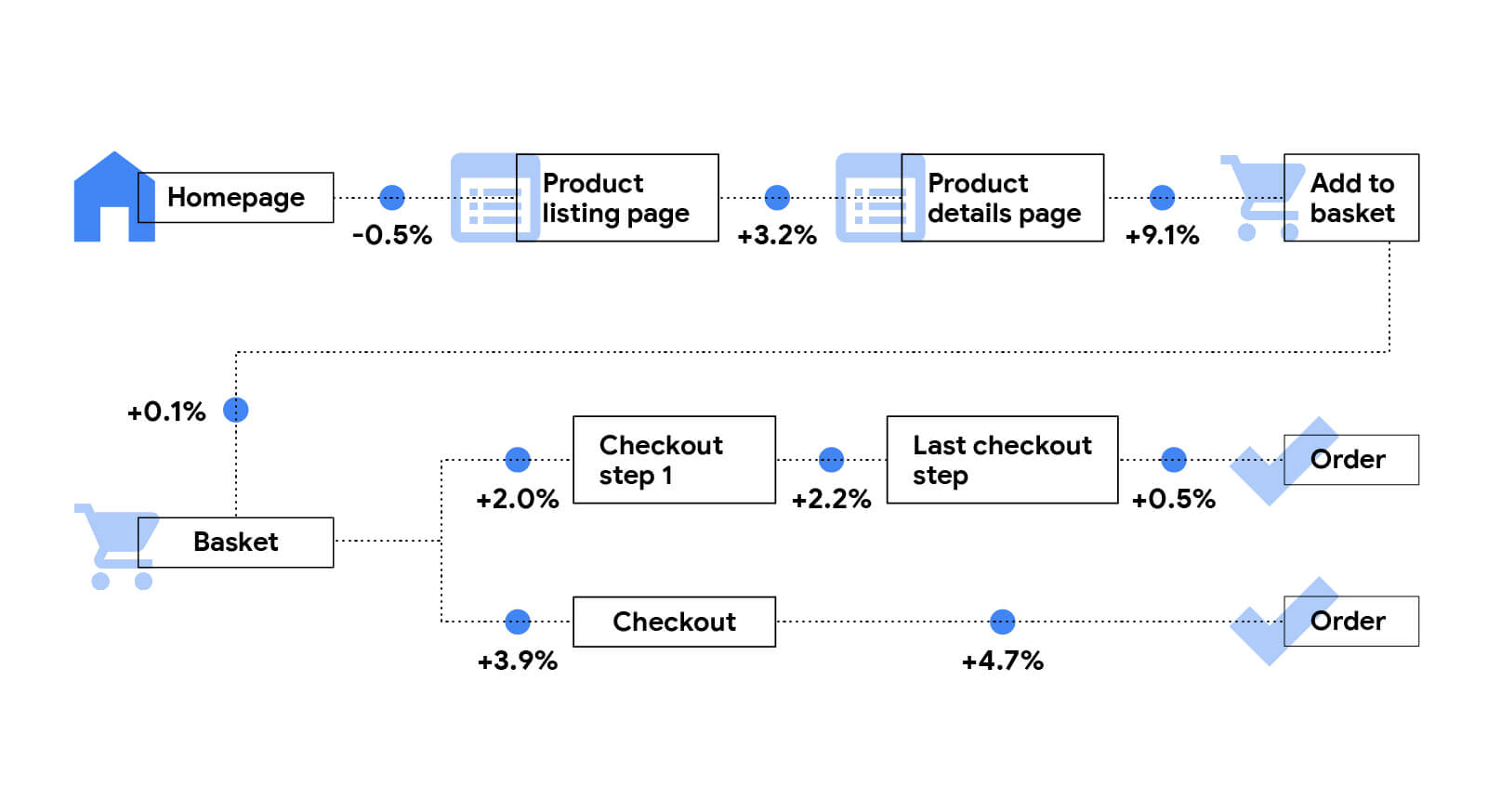
If your site slows from 2 seconds to 5 because a plugin update went wrong and that sits unfixed for 3 or 4 days while a ticket works through a queue, you haven’t just lost those days of conversions. You’ve trained your visitors to expect a slow site. Some won’t come back.
The SEO damage is the slow burn
This is the part most people miss until it’s too late. Google uses Core Web Vitals as a ranking signal. A sustained drop in page speed tells Google your site is delivering a poor experience. Crawl frequency drops. Rankings slip.
And even after you fix the issue, SEO recovery takes weeks — Google needs to re-crawl your site, re-evaluate the signals, re-rank your pages. A problem that existed for 4 days can take 6 to 8 weeks to fully recover from in search. A WordPress support plan with a 24 to 48 hour ticket queue isn’t built to prevent that. Someone who responds in hours and already knows your site is a different story.
The Third Option Most People Miss
When people realize a managed WordPress maintenance service like WP Buffs isn’t the right fit, the assumption is usually that the only alternative is Upwork — rolling the dice on a random freelancer and hoping they don’t disappear mid-project.
There’s a third option: a dedicated WordPress developer on retainer. Someone with the reliability of a service and the directness of a person who actually knows you.
Here’s what it looks like in practice:
One person handles your site. Always. That person is me. I know your codebase, your plugins, your history. When something breaks, I already have context. I don’t need to read a thread to catch up.
You talk to me directly. No ticket portal. No chatbot. You send a message and you hear back from me. Within 24 hours, guaranteed.
Hosting is included. WP Buffs doesn’t host your site. They manage it wherever it lives. When something goes wrong at the server level, you’re stuck coordinating between two vendors while your site is down. I host every site I manage. Hosting, maintenance, and support are all in one place.
There’s real accountability. I don’t have a queue to hide behind. If something goes wrong, you know exactly who to contact. And I know you will. That changes how carefully I work.
Side-by-Side: WP Buffs vs. Working with Me
| WP Buffs | Working with me (Pressive) | |
|---|---|---|
| Who handles your site | Rotating shift team | Me, every time |
| Communication | Ticket portal + email threads | Direct message, 24hr response |
| Hosting included | No, arrange separately | Yes, included in every plan |
| Emergency response | Priority ticket queue | Direct line to the person who knows your site |
| Dev hours included | No, separate quote required | Yes, on retainer plans |
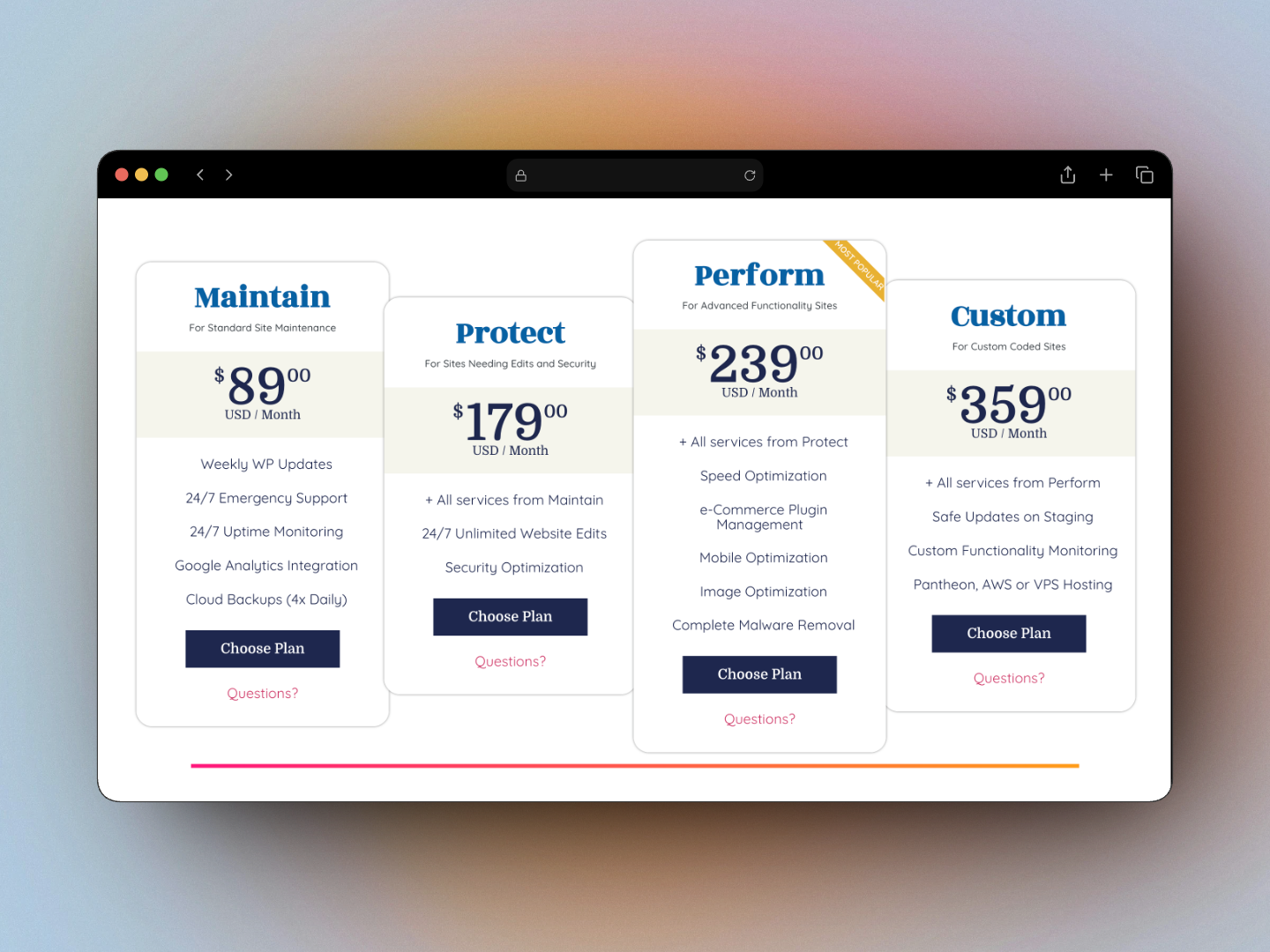
| Pricing | From ~$89/mo + hosting costs | From $59/mo, all-in |
| Context between sessions | Rebuilt from ticket history | Remembered, same person |
| Feels like | A subscription service | A person you hired |
When WP Buffs Makes Sense
WP Buffs is genuinely a good fit for some people.
- You manage multiple client sites and want one scalable white-label WordPress maintenance solution
- You need routine updates and backups handled and have no preference about who does it
- Your site is simple, stable, and rarely needs anything beyond standard maintenance
- You’re comfortable with ticket-based, async communication
If that’s you, WP Buffs is a solid pick.
When Working with a Dedicated Developer Makes More Sense
- You’ve been burned before by a developer who disappeared, an agency that sent juniors, or a WordPress support plan that took days to respond to an urgent ticket
- Your site is central to your business and downtime has a direct cost
- You want someone who already knows your site when something goes wrong at 9pm
- You want hosting, WordPress website maintenance, and dev support on one invoice with one point of contact
- You want to reach a human, not submit a ticket and wait
What “Dedicated” Actually Costs
The perception is that working with a personal developer costs more. But when you factor in what WP Buffs doesn’t include, the math shifts.
WP Buffs starts at $89/month, but you still need hosting separately. Quality managed WordPress hosting runs $30 to $100/month on top of that. The real floor is $120 to $190/month before you’ve made a single change to your site. Dev work is a separate quote on top of that.
My plans start at a comparable price with hosting included, dev hours included, and one point of contact. Significantly more value. And when something breaks, there’s no coordination overhead because everything is under one roof.
The Real Question
The question isn’t whether WP Buffs is good. It is, for what it is.
The question is what do you actually need.
If you need a WordPress maintenance service you can subscribe to and mostly forget about, WP Buffs does the job.
If you need a person who knows your site, answers you directly, and is already thinking about your situation when you message them at 9pm — that’s a different thing. That’s what I do.
Hosting included. Direct communication. 24-hour response, guaranteed.
Get started →Frequently Asked Questions
What is a WordPress care plan?
A WordPress care plan is a monthly service that keeps your site updated, backed up, and monitored. Most plans cover plugin and core updates, security scanning, uptime monitoring, and some level of support. The part most people don’t ask about is who handles their requests and how fast they actually respond when something breaks.
How much does a WordPress maintenance service cost?
WordPress maintenance services typically range from $89/month at the low end (WP Buffs, hosting not included) to $190/month or more once you add managed hosting. Plans that bundle hosting, dev hours, and dedicated support into one fee often come in at a comparable or lower all-in price. Always factor in hosting when comparing — it typically adds $30 to $100/month if purchased separately.
What’s the difference between a WordPress care plan and a WordPress support plan?
The terms are often used interchangeably. Care plan tends to mean proactive maintenance like updates, backups, and monitoring. Support plan tends to mean reactive help when things go wrong. The best plans include both. Either way, the most important question is whether the same person handles your site every time.
Is WP Buffs worth it?
WP Buffs is a solid option for simple sites or agencies managing many client sites who don’t need high-touch support. For business owners whose sites generate leads or revenue directly, the ticket-based model and rotating support team can be a poor fit — particularly when downtime or slow response has a real cost.
What is a WordPress developer retainer?
A WordPress developer retainer is an ongoing arrangement where you retain one specific developer — not an agency or shift team — for a set number of hours per month. They handle maintenance, support, and development work. Because it’s the same person every time, they build up real familiarity with your site, which makes every fix faster and every build better-informed.
Does WP Buffs include hosting?
No. WP Buffs manages your WordPress site but does not provide hosting. You’ll need to arrange and pay for that separately, typically an additional $30 to $100/month. Some WordPress care plans — including mine — bundle hosting, maintenance, and support into a single monthly fee so there’s no coordination overhead when something goes wrong.